← All Posts

·3 min read

How to Edit Perfect Cinematic Skin Tones in Adobe Premiere Pro CC

, and uniform.css sizes any
         main h1 at the page-title scale (.definitive-interior main h1), so
         one landed mid-read at 60px. The cap carries the page class to out-
         specify that rule, and covers the whole family at reading scale. */
      .blog-page .blg-wrap .blg-body h1, .blog-page .blg-wrap .blg-body h2,
      .blog-page .blg-wrap .blg-body h3, .blog-page .blg-wrap .blg-body h4 { margin: 2rem 0 0.75rem; font-family: "Playfair Display", Georgia, serif; font-weight: 400; line-height: 1.3; color: rgb(244 241 235 / 0.95); text-transform: none; letter-spacing: normal; max-width: none; }
      .blog-page .blg-wrap .blg-body h1, .blog-page .blg-wrap .blg-body h2 { font-size: clamp(1.15rem, 1rem + 0.8vw, 1.45rem); }
      .blog-page .blg-wrap .blg-body h3 { font-size: clamp(1.05rem, 0.95rem + 0.55vw, 1.3rem); }
      .blog-page .blg-wrap .blg-body h4 { font-size: clamp(1rem, 0.95rem + 0.3vw, 1.12rem); }
      /* A photo run is not a paragraph - it breaks out past the reading
         measure to ONE width token and packs like the photography archive.
         CSS columns balanced the run into three ragged stacks: a column ran
         long and dangled a photograph below the others, a wide frame overran
         the square its neighbours implied, and a hole opened where the last
         short column stopped. The rows are JUSTIFIED instead - solved at
         build time in galleryize.py, shipped as explicit flex rows.
         A cell's --a is its native aspect. flex-grow:var(--a) over a zero
         basis hands each photo in a row the width a_i x h out of the row's
         free space, so every photo in the row stands at the same height h
         and the last one lands exactly on the right edge - flush left AND
         right, nothing cropped, no measurement on the page. */
      .blg-body { --blg-wide: min(68rem, 92vw); --blg-gap: 0.62rem; }
      .blg-gallery { width: var(--blg-wide); margin: 2rem 0 2.2rem; margin-inline: calc(50% - var(--blg-wide) / 2); display: flex; flex-direction: column; gap: var(--blg-gap); }
      .blg-row { display: flex; column-gap: var(--blg-gap); width: var(--rw, 100%); margin-inline: auto; }
      .blg-nb { display: none; }
      .blg-gallery .blg-cell { flex-grow: var(--a, 1); flex-shrink: 1; flex-basis: 0; min-width: 0; aspect-ratio: var(--a, 1.5); margin: 0; padding: 0; overflow: hidden; border-radius: 0.3rem; background: #0b0d12; cursor: pointer; opacity: 0; transform: translateY(18px); transition: opacity 620ms cubic-bezier(0.22, 0.61, 0.21, 1), transform 740ms cubic-bezier(0.22, 0.61, 0.21, 1); }
      .blg-gallery .blg-cell.is-in { opacity: 1; transform: none; }
      .blg-gallery .blg-cell img { display: block; width: 100%; height: 100%; object-fit: cover; margin: 0; border-radius: 0; opacity: 0.86; transition: transform 760ms cubic-bezier(0.22, 0.61, 0.21, 1), opacity 420ms ease; }
      .blg-gallery .blg-cell:hover img, .blg-gallery .blg-cell:focus-visible img { opacity: 1; transform: scale(1.02); }
      .blg-gallery .blg-cell:focus-visible { outline: 1px solid var(--kls-accent, #fb5607); outline-offset: 2px; }
      /* the run measures itself against the article COLUMN, so the index
         rail simply narrows it - no second width rule for the railed page */
      @supports (container-type: inline-size) {
        .blg-wrap { container-type: inline-size; }
        .blg-body { --blg-wide: min(68rem, 100cqw); }
      }
      /* The phone keeps the grid - 2-up rows out of the same packer at a
         smaller row height, never one full-screen photograph per screen.
         The desktop rows dissolve (display:contents) and the build-time
         narrow breaks drive the lines instead, so one set of photographs
         serves both plans. */
      @media (max-width: 760px) {
        .blg-body { --blg-gap: 0.5rem; }
        .blg-gallery { flex-direction: row; flex-wrap: wrap; column-gap: var(--blg-gap); row-gap: 0; margin-bottom: 1.8rem; }
        .blg-row { display: contents; }
        .blg-nb { display: block; flex: 0 0 100%; height: var(--blg-gap); }
      }
      @media (prefers-reduced-motion: reduce) { .blg-gallery .blg-cell { opacity: 1; transform: none; transition: none; } }
      /* A short line stranded between two photo runs read as a fragment
         someone forgot to delete. It is the author's own beat - so it is set
         as one: centred, given air on both sides, a step up in scale. The
         builder finds it; not a word of it is moved or rewritten. */
      .blg-body .blg-beat { margin: clamp(2.4rem, 5.5vh, 3.6rem) auto; max-width: 34rem; text-align: center; }
      .blg-body .blg-beat p, .blg-body .blg-beat div { margin-left: auto; margin-right: auto; }
      /* Squarespace put white-space:pre-wrap INLINE on these paragraphs, so
         the source indent after each  printed as a real leading space
         and every line after the first sat 3px right of centre. pre-line
         keeps the author's line breaks and drops the indentation; it has to
         out-rank an inline style, hence the !important, and it is scoped to
         the beat alone. No character of the copy changes. */
      .blg-body .blg-beat p { margin-top: 0; margin-bottom: 0.4rem; white-space: pre-line !important; font-family: "Playfair Display", Georgia, serif; font-size: clamp(1.2rem, 1rem + 1vw, 1.65rem); line-height: 1.4; color: rgb(244 241 235 / 0.94); }
      .blg-body .blg-beat p:last-child { margin-bottom: 0; }
      /* end blg-gallery */


    Skip to content


          ← All Posts
          May 3, 2019·3 min read
          How to Edit Perfect Cinematic Skin Tones in Adobe Premiere Pro CC

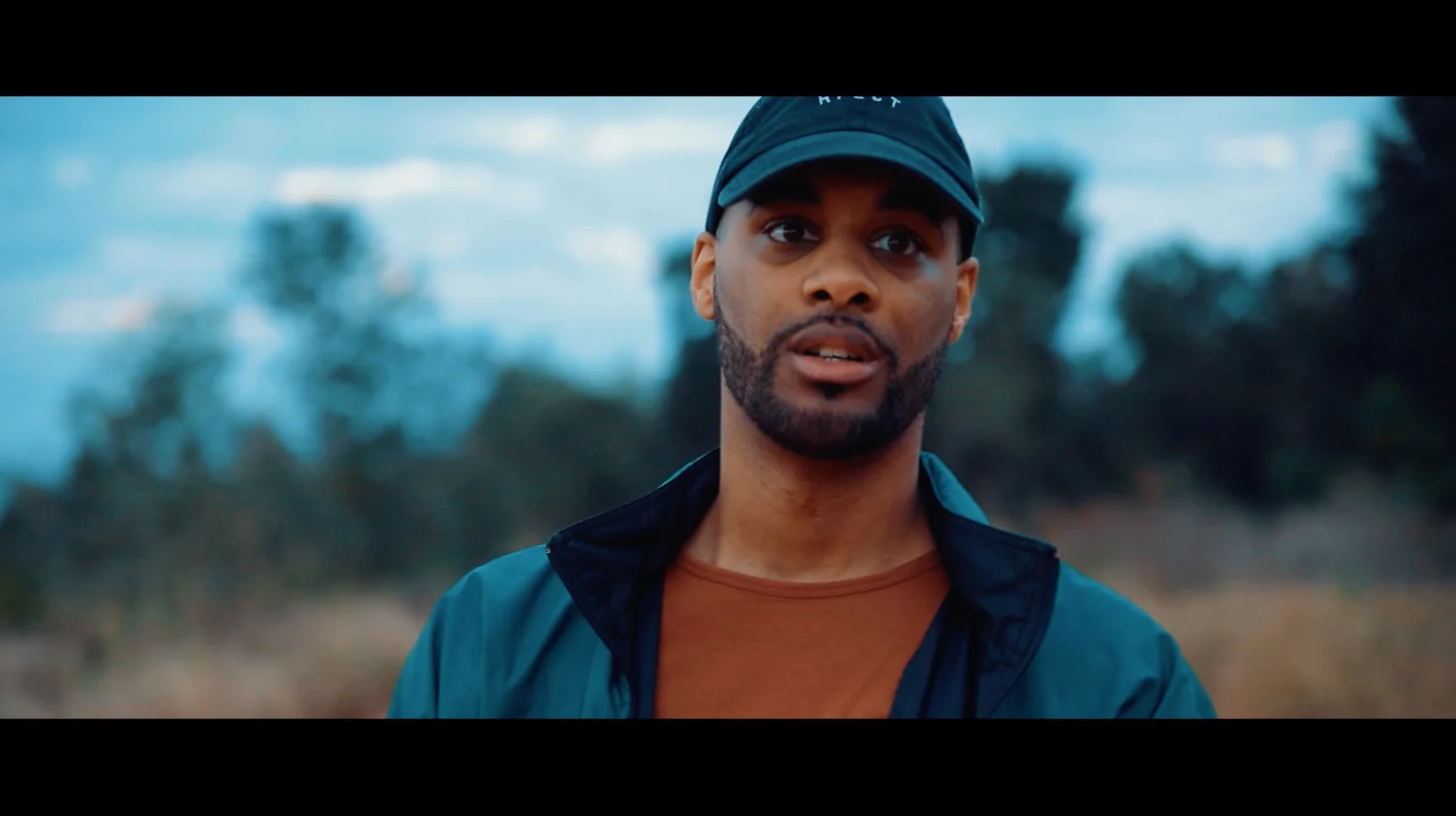
In this video How to Edit Perfect Cinematic Skin Tones in Adobe Premiere Pro CC, Kal Visuals discusses and the difference between color correcting and color grading your footage and the importance of knowing as well as recognizing the difference. Moreover, Kal Visuals provides an in-depth tutorial on how to properly and effectively edit and correct your skin tones in Premiere Pro CC. Kal Visuals stresses the importance of getting your skin tones correct and natural and the best methods for doing so. How to Edit Perfect Cinematic Skin Tones in Adobe Premiere Pro CC, is an incredibly helpful tutorial that truly reveals the entire process of color correcting footage, editing the skin tones and putting a final grade on the video. This is a perfect example of how to be a great editor and more specifically color corrector and or color grader. Although, this video isn’t something you can get through in a few quick minutes it’s beyond worth the sit-down. This tutorial is a great example of how to take a flat profile video clip from start to finish. How to Edit Perfect Cinematic Skin Tones in Adobe Premiere Pro CC is a must watch for all levels of filmmakers and content creators and is a must for anyone that edits their own videos and films. Don’t miss out on your chance to learn How to Edit Perfect Cinematic Skin Tones in Adobe Premiere Pro CC.

GEAR USED IN THE MAKING OF THIS VIDEO:

⁃ CANON EOS 5D MARK IV FULL FRAME DIGITAL SLR CAMERA WITH EF 24-105MM F/4L IS II USM LENS KIT: https://amzn.to/2m2d151

⁃ APURTURE LS 120D II 180W LED CONTINUOUS V-MOUNT VIDEO LIGHT: https://amzn.to/2EXb9gE

⁃ NEEWER 10FT C-STAND 100% METAL: https://amzn.to/2CdgMFJ

⁃ TAMRON SP 24-70MM F/2.8 DI VC USD G2 LENS: https://amzn.to/2h3kc4d

⁃ Rode NTG2 Multi-Powered Condenser Shotgun Microphone: https://amzn.to/2XQ8hKf

⁃ Neewer Portable 3 Section Handheld Microphone Boom Pole: https://amzn.to/2XPEGAf

⁃ NEEWER 2-PANEL LIGHT KIT BI-COLOR 660 LED: https://amzn.to/2lzobt5

⁃ AFAITH PROFESSIONAL CAMERA TRIPOD , ULTRA COMPACT AND LIGHTWEIGHT ALUMINUM DIGITAL DSLR VIDEO CAMERA TRIPOD MONOPOD & BALL HEAD: https://amzn.to/2lykdtw

⁃ ZOOM H6 SIX-TRACK PORTABLE RECORDER WITH INTERCHANGEABLE MICROPHONE SYSTEM WITH DELUXE ACCESSORY BUNDLE: https://amzn.to/2fjrfsx

⁃ SANDISK EXTREME PRO 128GB SDXC UHS-I CARD: https://amzn.to/2skdwin

⁃ HOYA 77MM VARIABLE NEUTRAL DENSITY (ND) FILTER: https://amzn.to/2sgrducr

http://www.kyleloftusstudios.com